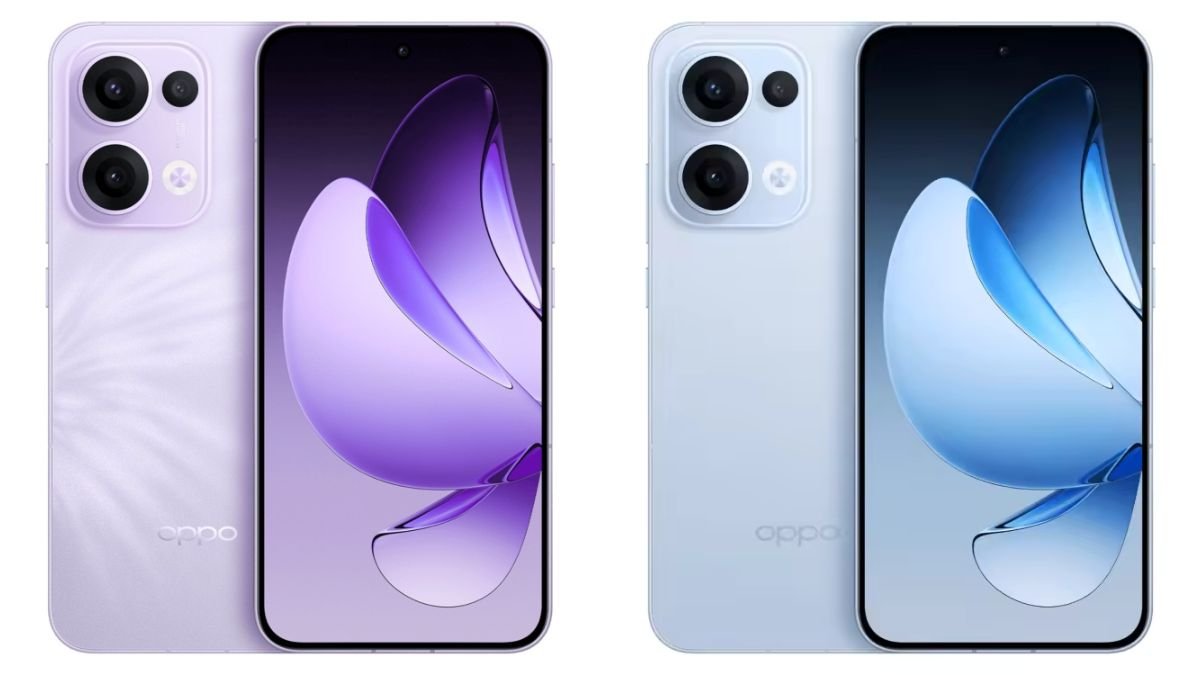

Oppo has officially begun rolling out the stable ColorOS 16 update for a select lineup of smartphones, including the Oppo Reno 11 Pro, Reno 11, Reno 10 Pro Plus, and Oppo F25 Pro. This update marks a significant step forward for Oppo’s software ecosystem, focusing on smoother performance, refined visuals, enhanced privacy controls, and deeper AI-driven system intelligence. For users of these popular mid-range and premium devices, ColorOS 16 brings a more polished daily experience while laying the groundwork for long-term software stability.
A Refined Visual Experience
One of the most noticeable changes in ColorOS 16 is its cleaner and more modern interface design. Oppo has continued its philosophy of subtle visual refinement rather than radical redesign. Animations feel more fluid, transitions are smoother, and UI elements are better aligned for one-handed use.
The system-wide color tuning has been improved, offering softer gradients and better contrast, especially in dark mode. Icons have been refreshed with consistent shapes and spacing, while system fonts are optimized for better readability across different screen sizes. For Reno series users, known for premium displays, these changes make everyday interactions feel more refined and responsive.
Performance and Stability Improvements
ColorOS 16 focuses heavily on system optimization, especially for multitasking and long-term performance. Oppo has introduced updated background process management, which helps reduce unnecessary power consumption and memory usage. This is particularly beneficial for users who rely on heavy app multitasking, gaming, or extended screen-on time.
On devices like the Reno 10 Pro Plus, which already feature high-performance chipsets, the update enhances sustained performance by improving thermal control and resource allocation. Apps launch faster, system lag is reduced, and overall responsiveness feels more consistent after extended use.
Oppo also claims that ColorOS 16 improves long-term smoothness, meaning phones should maintain their performance levels even after months of daily usage.
Smarter AI Features Across the System
Artificial intelligence plays a bigger role in ColorOS 16. Oppo has expanded its AI-based system intelligence to learn user habits more effectively. The system now predicts which apps you’re likely to use next and allocates resources accordingly, improving speed and efficiency.
AI also enhances:
- Battery management, by adapting power usage based on daily routines
- Network optimization, ensuring stable connections in weak signal areas
- App preloading, reducing waiting times when opening frequently used apps
For users of the Oppo F25 Pro, which emphasizes efficiency and reliability, these AI enhancements help deliver a smoother experience without sacrificing battery life.
Enhanced Privacy and Security Controls
Privacy remains a major focus in ColorOS 16. The update introduces stronger permission management, giving users more transparency and control over how apps access personal data. You can now see clearer indicators when apps use the camera, microphone, or location services.
Key privacy upgrades include:
- Temporary permissions, allowing one-time access to sensitive data
- Improved app behavior monitoring, alerting users to unusual activity
- Refined Private Safe, with faster access and better encryption
These features are especially important for users who rely heavily on banking apps, work tools, or social media platforms.
Improved Multitasking and Productivity Tools
ColorOS 16 builds on Oppo’s multitasking capabilities with improved Split Screen and Floating Window functionality. Apps can now be resized more smoothly, and switching between windows feels more natural.
For professionals and students using the Reno 11 Pro or Reno 11, these enhancements make it easier to:
- Take notes while watching videos
- Chat while browsing documents
- Manage multiple apps without performance drops
The system also improves cross-app interaction, making drag-and-drop actions faster and more reliable.
Battery Life and Charging Optimization
Battery optimization is another area where ColorOS 16 shines. Oppo has fine-tuned power consumption at both system and app levels. Background activity is better controlled, and standby drain has been reduced.
Charging protection features have also been enhanced. The system intelligently adjusts charging speed based on temperature, usage patterns, and time of day to help extend battery lifespan. This is particularly beneficial for devices that support fast charging, such as the Reno 10 Pro Plus.
Camera and Media Enhancements
While ColorOS updates are not primarily camera-focused, version 16 introduces under-the-hood improvements to image processing and camera app stability. Users may notice faster camera launch times, smoother transitions between lenses, and improved HDR consistency in certain lighting conditions.
Media playback has also been refined, with better audio routing, improved Bluetooth stability, and enhanced support for high-resolution content. Streaming, gaming, and video editing feel more seamless across supported devices.
Device-Specific Rollout Details
The ColorOS 16 stable update is being rolled out in phases, starting with:
- Oppo Reno 11 Pro
- Oppo Reno 11
- Oppo Reno 10 Pro Plus
- Oppo F25 Pro
As with most major updates, availability may vary by region and carrier. Users are advised to check for updates manually by navigating to Settings > About Device > Software Update. Oppo recommends ensuring sufficient battery charge and storage space before installing the update.
What Users Should Expect After Updating
After installing ColorOS 16, users can expect:
- Faster and smoother system navigation
- Improved app stability and performance
- Better privacy transparency
- Longer battery efficiency over time
Some apps may take a short period to optimize after the update, which is normal. Oppo recommends restarting the device after installation to ensure optimal performance.
A Step Forward for the Reno and F Series
With ColorOS 16, Oppo continues to demonstrate its commitment to long-term software support for its popular smartphone lineup. By focusing on stability, intelligence, and usability, the update enhances daily smartphone use without overwhelming users with unnecessary complexity.
For owners of the Reno 11 Pro, Reno 11, Reno 10 Pro Plus, and F25 Pro, this update represents a meaningful upgrade that improves both performance and user confidence. As Oppo continues refining its software ecosystem, ColorOS 16 stands out as a balanced and mature update designed for real-world usage.
Final Thoughts
ColorOS 16 may not introduce radical visual changes, but its refined performance, smarter AI integration, and stronger privacy features make it one of Oppo’s most stable and user-focused updates to date. For supported devices, the update delivers noticeable improvements that enhance everyday interactions, making it a welcome upgrade for both power users and casual smartphone owners alike.